
The Best Free Password Managers: 10 Top Choices
A free password manager is one of the simplest ways to improve your online security. It helps you create and store strong passwords, keeps them encrypted, and makes them easy to access on any device. As most people manage dozens of accounts, relying on memory or reusing passwords quickly becomes risky. A password manager removes that burden and protects your information with far stronger security than traditional methods.
In this guide, we highlight ten reliable free password managers. Each one offers secure storage, essential features, and a straightforward way to manage your digital credentials without paying for a subscription. Some tools focus on offline password managers for maximum control, while others provide cloud sync for convenience across multiple devices. The options vary, but all aim to make secure access simple and accessible.
The list starts with Passary, followed by established solutions such as Bitwarden, Proton Pass, and several others. By comparing their strengths, you can choose the manager that best fits your privacy needs, device setup, and comfort level.
With that, let’s begin with the first tool in the list.
Passary
Passary is a lightweight free password manager designed around a simple goal: storing passwords securely without adding friction to your daily workflow. It follows a local-first approach, meaning your data is handled directly on your device rather than relying on a cloud service. This design is appealing for users who want full control of their password vault without introducing external storage points. A straightforward interface helps first-time users understand how to add, view, and organize passwords with minimal effort.
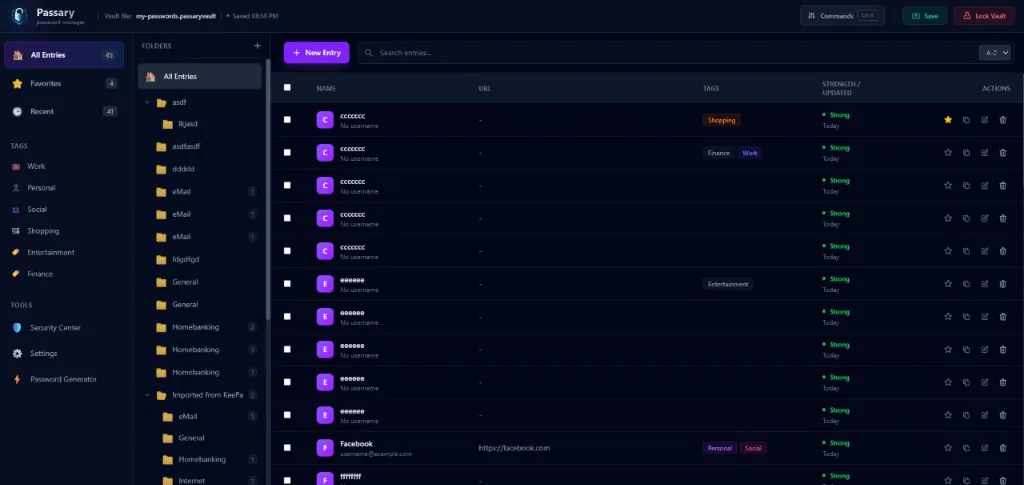
A core benefit of Passary is its reliance on a zero-knowledge architecture. Zero-knowledge means the system is built so that only the user can decrypt the stored information—your vault is locked by a master password that is never transmitted to a server or shared with anyone else. This aligns with the broader expectations for trustworthy password tools, including confidentiality, accuracy, and safe handling of sensitive data.
Passary’s local storage model also reduces dependency on third-party cloud providers, which is beneficial for users who prefer keeping sensitive information offline. This kind of vault management gives you predictable control over backups and data portability. It also avoids the risks associated with syncing credentials across multiple external servers. While cloud sync has advantages, many users appreciate the transparency and predictability of local vault encryption.
Another benefit of Passary is how quickly new users can begin using it. There is no need to set up accounts, link devices, or navigate multi-step onboarding processes. You download the application, set your master password, and immediately start saving entries. Simplicity drives adoption: password managers are only effective if they integrate smoothly into daily habits, and Passary’s design supports that.
The table below summarizes Passary’s key traits from a practical standpoint:
| Feature | How Passary Handles It |
|---|---|
| Data Storage | Local device storage with no required cloud sync |
| Security Model | Zero-knowledge, master-password-protected vault |
| User Experience | Minimal and intuitive interface for fast setup |
| Free Tier | Fully free usage with no subscription requirement |
| Control & Privacy | User-controlled backups and vault files |
Bitwarden
Bitwarden is one of the most widely trusted free password managers, especially among users who value transparency. As an open-source tool, its code is publicly available for review, which allows independent researchers and the broader security community to validate how it handles encryption and data protection. This aligns with modern expectations for trustworthy content and transparent practices, key aspects of what makes information reliable and user-focused. Bitwarden’s approach gives users confidence that the software behaves exactly as described.
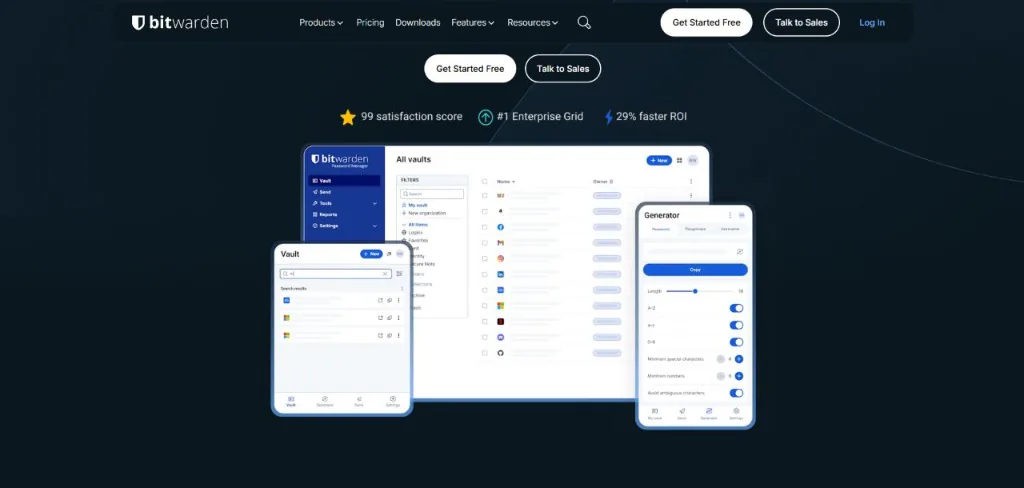
At the core of Bitwarden’s design is end-to-end encryption, meaning your vault is encrypted on your device before anything is stored or synced. Your master password never leaves your device, and Bitwarden’s servers only ever receive encrypted data. This ensures that even if a breach were to occur, the stored information would remain unreadable. Bitwarden’s commitment to a zero-knowledge model makes it suitable for users who want both free access and strong, transparent protection.
Bitwarden’s free tier includes cross-device sync, an uncommon feature among password managers. Many free tools limit syncing to paid plans, but Bitwarden allows you to install it on desktops, browsers, and mobile devices without restrictions. This makes it practical for people who frequently switch between laptops, phones, and tablets. Bitwarden also includes a built-in password generator, secure notes, form autofill, and the ability to import data from other managers.
The user experience is straightforward, with a focus on functionality over visual complexity. Bitwarden’s interface is clean and predictable, making it accessible for beginners while still offering advanced options like configurable vault timeout policies or alternative authentication methods. This balance of simplicity and depth is one reason the tool consistently appears in expert recommendations.
Below is a quick overview of what you get with Bitwarden’s free tier:
| Feature | Included in Free Tier |
|---|---|
| Cross-device sync | Yes |
| Device limit | Unlimited |
| End-to-end encryption | Yes |
| Password generator | Yes |
| Secure notes | Yes |
| 2FA basic support | Yes |
| Password sharing | Limited to 2 users (1 “organization”) |
Proton Pass
Proton Pass is a free password manager developed by the Proton team, known for privacy-focused tools such as Proton Mail and Proton VPN. Its design centers strongly on user privacy, offering end-to-end encryption for every item in the vault, including metadata like URLs. This comprehensive encryption approach helps protect against data exposure and aligns with the expectations for safe, user-first digital tools.
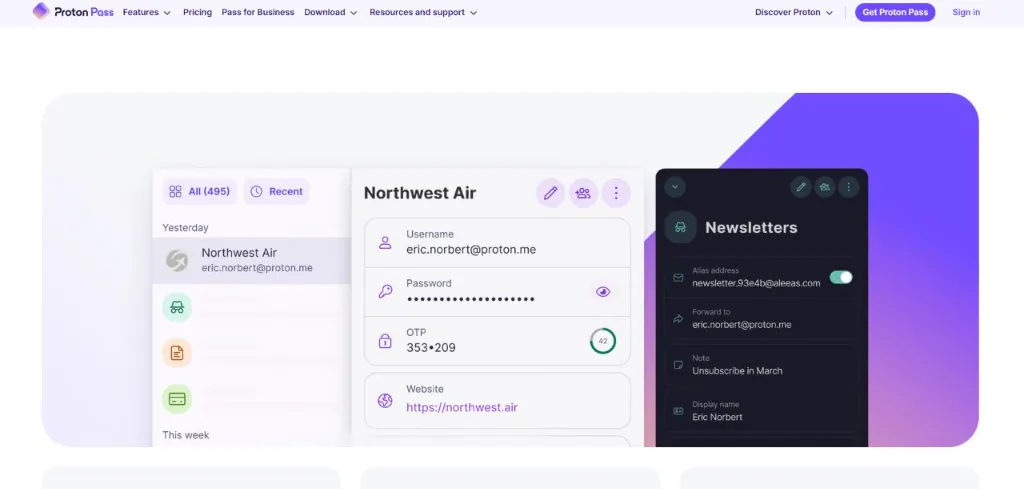
One of Proton Pass’s standout features is its integration with Proton’s broader ecosystem. Users who already rely on Proton services benefit from consistent privacy practices and a unified account experience. The free plan includes password storage, autofill, and the ability to create secure aliases through Proton Mail, which adds an additional layer of protection when signing up on websites. These aliases help reduce tracking and prevent your primary email from being exposed.
Proton Pass is designed with simple onboarding and a clean interface, making it accessible for beginners. Import tools allow you to migrate data from other password managers easily, while browser extensions and mobile apps ensure you can access your vault on all major platforms. The navigation layout is straightforward, focusing on clarity rather than complex configuration menus, which supports users who prefer minimal setup.
While the free version offers strong essentials, Proton Pass also provides optional upgrades for users who need more advanced features like expanded alias support. However, the free tier is generous and includes everything required for safe daily use. This makes it a strong option for users seeking strong privacy without a subscription. The security model and Proton’s reputation for protecting user data contribute to a credible and trustworthy offering.
The table below summarizes the key characteristics of Proton Pass:
| Feature | Free Tier Availability |
|---|---|
| End-to-end encryption | Yes |
| Cross-device sync | Yes |
| Password storage | Unlimited |
| Browser extensions | Yes |
| Email aliases | Limited in free tier |
| Import/export tools | Yes |
| Mobile apps | iOS & Android |
NordPass
NordPass Free is a streamlined free password manager built for users who want an easy way to store and access their passwords across devices. Developed by the creators of NordVPN, it emphasizes simplicity and secure operation without requiring users to understand complex configuration steps. This user-first approach aligns well with modern expectations for clarity, reliability, and accessible security tools, ensuring that people can protect their accounts without needing technical expertise.
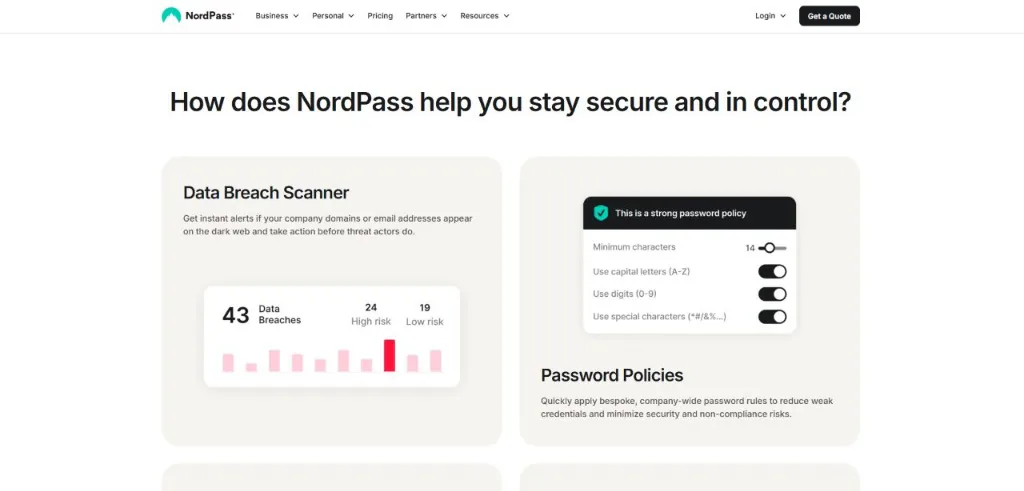
One of NordPass Free’s key traits is its clean, modern interface. The layout is organized around a minimal structure that guides users through storing passwords, generating secure credentials, and retrieving saved entries. For beginners, this reduces the learning curve significantly. NordPass also provides apps for all major platforms, allowing users to work on desktops, browsers, and mobile devices in a consistent environment.
In terms of security, NordPass uses strong encryption to protect stored information, following the industry-standard expectation that sensitive content must remain inaccessible to anyone but the user. The service is built on a zero-knowledge model, ensuring that your master password never reaches NordPass’s servers. While the free tier limits some advanced features like item sharing and emergency access, the core security model remains intact and suitable for everyday protection.
NordPass Free also includes a built-in password generator, autofill features, and basic synchronisation functionality. Sync is available but limited to one active device at a time in the free tier. This means you can switch devices but not use them simultaneously unless you upgrade. For users with a simple workflow—such as a single laptop or phone—this limitation is manageable, but it’s an important consideration when comparing free managers.
Below is a summary of the main elements available in NordPass Free:
| Feature | Free Tier Availability |
|---|---|
| End-to-end encryption | Yes |
| Cross-device sync | Limited (one active device at a time) |
| Password generator | Yes |
| Browser extensions | Yes |
| Secure notes | Yes |
| Autofill | Yes |
| Password sharing | Not included |
RoboForm
RoboForm Free is a long-standing free password manager known for its form-filling capabilities and straightforward design. It appeals to users who want essential password management with minimal setup and a focus on practical day-to-day use. Because reliable tools should serve their purpose clearly and without unnecessary friction, RoboForm Free fits well into the category of solutions designed for simple, accessible, people-first security.
One of the standout features of RoboForm Free is its autofill engine. While many password managers offer autofill, RoboForm has specialized in accurate, detailed form completion for years. This makes it particularly useful for users who frequently complete online forms or log into various accounts throughout the day. The free version still retains much of this autofill intelligence, giving users a smooth browsing experience.
In terms of security, RoboForm uses strong encryption to protect stored credentials. Passwords are encrypted locally before being uploaded to the cloud for syncing purposes, and the master password is never shared with RoboForm. This follows the modern expectation of a zero-knowledge approach, ensuring that only the user can unlock their data. Users who prefer clarity and predictable behavior will appreciate RoboForm’s straightforward security model.
The free tier includes unlimited password storage and autofill but does not include features such as cloud backup across unlimited devices or password sharing. For users who primarily work on a single device, this limitation is minor. Those who need multi-device sync can still use the free version with desktop and mobile apps but with certain constraints. The interface remains approachable and consistent across platforms.
Below is a summary of what RoboForm Free offers:
| Feature | Free Tier Availability |
|---|---|
| Password storage | Unlimited |
| Autofill & form filling | Yes |
| Encryption | AES-256 with local encryption |
| Cross-device sync | Limited (requires upgrade for full sync) |
| Password generator | Yes |
| Secure notes | Yes |
| Password sharing | Not included |
KeePassXC
KeePassXC is an open-source, free password manager designed for users who prefer complete control over their data. Unlike cloud-based tools, KeePassXC stores all information locally in an encrypted vault file. This model appeals to people who want to avoid syncing their data through third-party servers and instead manage backups manually or through a storage provider of their choice. Open-source transparency also aligns with modern expectations around trust and clarity in digital security tools.
The security model of KeePassXC relies on strong, local encryption. Your master password unlocks the vault on your device, and there is no account system or online service involved. The vault can be stored anywhere you choose—locally, on an encrypted USB drive, or in a private cloud folder you control. Because only encrypted data leaves the application, users have predictable, direct control over their information.
KeePassXC provides a full suite of password management features despite its offline-first approach. The interface includes password generation, grouping for organizing entries, tagging, auto-type support, and browser extensions to fill in login forms. While the interface is slightly more technical than cloud-based password managers, it remains approachable once users become familiar with the structure of the app.
The biggest advantage of KeePassXC is customization. Users can decide how and where their passwords are stored, how backups are handled, and whether to sync manually or through external tools like Dropbox, iCloud, or Syncthing. This level of control is ideal for those who prioritize privacy and flexibility over convenience. However, the manual setup may feel more complex for beginners, especially compared to services that handle syncing automatically.
Below is a summary of KeePassXC’s main characteristics:
| Feature | Availability |
|---|---|
| Data storage | Local vault (user-controlled) |
| Encryption | Strong local encryption; open-source codebase |
| Cross-platform | Windows, macOS, Linux |
| Browser extensions | Yes |
| Autofill | Auto-type + browser integrations |
| Cloud sync | Manual (via your chosen method) |
| Cost | Completely free |
Zoho Vault
Zoho Vault Free is a free password manager built with a focus on both individual users and small teams. While many free tools are designed strictly for personal use, Zoho Vault stands out by offering basic collaboration and shared access features even in its free tier. This makes it appealing for users who want to store credentials securely while also sharing certain logins with trusted people. Its design is built around clarity, predictable behavior, and secure access — qualities that align with the principles of helpful and reliable digital tools.
The platform operates through encrypted cloud storage, meaning your vault is accessible from any device once you log in. All passwords stored within Zoho Vault are encrypted before reaching the cloud, ensuring that only you — or authorized collaborators — can read them. This encryption model works similarly to many leading cloud-based managers, giving users a mix of convenience and strong protection. It also supports multi-device access with browser extensions, mobile apps, and a clean web interface.
Zoho Vault Free includes a series of features designed for core security needs. Users can store unlimited passwords, generate strong credentials, and organize entries into folders. The free tier also allows sharing individual passwords with specific people, making it suitable for households, student teams, or small personal projects. While more advanced team management features require a paid plan, the essentials provided for free are already more generous than many competitors.
User onboarding is straightforward. New users can import data from browsers or other managers and begin storing entries immediately. The interface uses clear navigation and well-separated sections for passwords, notes, and shared items. This structure reduces confusion for people who may be trying a password manager for the first time. Like most cloud-based solutions, it encourages good password hygiene through reminders, weak-password detection, and optional security reports.
Below is a quick overview of what Zoho Vault Free includes:
| Feature | Free Tier Availability |
|---|---|
| Unlimited password storage | Yes |
| Device access | Multi-device with cloud sync |
| Password sharing | Limited (individual items only) |
| Encryption | End-to-end encryption for vault data |
| Browser extensions | Yes |
| Mobile apps | iOS & Android |
| Team features | Basic only |
Avira Password Manager
Avira Password Manager is a free password manager designed to offer simple, cloud-based password storage with minimal setup. It focuses on providing essential features that help users improve their online security without requiring advanced configuration or technical knowledge. This accessible design aligns with the principles of people-first, helpful tools that prioritize clarity, ease of use, and predictable behavior.
One of the key strengths of Avira Password Manager is its straightforward onboarding process. New users can create an account, install the browser extension or mobile app, and immediately begin storing credentials. The interface is designed around simplicity, with clearly labeled sections for passwords, notes, and security settings. This makes it a suitable option for people transitioning from saving passwords in browsers or using informal methods like notebooks or email drafts.
Avira provides cloud synchronization across devices, allowing users to access their vault from a phone, tablet, or desktop. Passwords are encrypted before they reach Avira’s servers, following a zero-knowledge approach where only the user controls the master password. While Avira's free tier may not include the advanced controls offered by some competitors, its encryption and cloud-sync model deliver a level of safety appropriate for common day-to-day use.
The free version of Avira Password Manager includes unlimited password storage, autofill support, and password generation. It also provides basic security insights—for example, highlighting reused or weak passwords—which helps users improve account hygiene without requiring a paid plan. While Avira does offer premium upgrades, the essentials needed for safe password storage remain available to users at no cost.
The table below highlights the core features of Avira Password Manager:
| Feature | Free Tier Availability |
|---|---|
| Cloud sync | Yes |
| Unlimited passwords | Yes |
| Encryption | Zero-knowledge model |
| Autofill | Yes |
| Password generator | Yes |
| Security insights | Basic checks |
| Sharing features | Not included |
LogMeOnce
LogMeOnce Free is a feature-rich free password manager designed for users who want more than basic password storage. While many free-tier tools limit advanced capabilities, LogMeOnce is known for including additional utilities such as password auditing, device management, and multiple login methods. This approach makes it appealing for users who want broader security functionality without committing to a subscription.
The platform uses cloud-based storage with end-to-end encryption, ensuring passwords are encrypted before reaching LogMeOnce servers. Users unlock their vault through a master password or alternative authentication options such as PINs or facial recognition on supported devices. This variety provides flexibility and supports people who may prefer easier login methods while still benefiting from strong encryption practices.
LogMeOnce Free also includes a password generator, autofill capabilities, and cross-device access. One of its unique qualities is the inclusion of device-level information, allowing users to view and manage which devices are connected to their account. This can be useful for people who want greater visibility into their account environment and prefer having more control over where their data is accessed.
The feature set in the free version is broader than typical free password managers, though some advanced capabilities — such as encrypted file storage or automated dark web monitoring — are reserved for paid tiers. Still, many users find the free version sufficient for everyday password storage and account security tasks. The interface is structured with clear sections, though it may feel more feature-dense than minimalistic managers such as Passary or KeePassXC.
Below is a summary of what LogMeOnce Free offers:
| Feature | Free Tier Availability |
|---|---|
| End-to-end encryption | Yes |
| Multi-device access | Yes |
| Password generator | Yes |
| Autofill | Yes |
| Device management tools | Included |
| Security audit basics | Included |
| Sharing features | Limited |
Sticky Password
Sticky Password Free is a long-running free password manager that combines simplicity with strong protection. It is developed by a team with extensive experience in security software, and the tool has maintained a consistent focus on practical, accessible password management. Like any solution that handles sensitive user information, its value is tied to transparency, safe operation, and clear purpose.
One of the unique aspects of Sticky Password is its option to store your encrypted vault either locally or in the cloud. This flexibility allows users to choose what best fits their security preferences: local-only for maximum control, or cloud sync for convenience. Not all free password managers offer this choice, making Sticky Password Free a good match for users who want more say over where their data lives.
The free tier includes unlimited password storage, autofill, secure notes, and password generation. It also supports biometric logins on compatible devices, which can improve accessibility without reducing security. Users who want multi-device sync can access it through a premium upgrade, but those who primarily use one device will find the free version sufficient for daily use.
The interface is traditional but easy to navigate. It organizes entries into categories and provides a clear structure for editing and managing saved data. While the layout may feel slightly more classic compared to newer, minimalistic password managers, the usability remains solid. Sticky Password Free focuses on stability and predictability, which many users prefer over visually complex dashboards.
Here is a summary of what Sticky Password Free offers:
| Feature | Free Tier Availability |
|---|---|
| Password storage | Unlimited |
| Encryption | Strong, local encryption |
| Local or cloud storage | Choice available |
| Autofill | Yes |
| Password generator | Yes |
| Biometric login | Supported |
| Cross-device sync | Not included (premium only) |
Conclusion
Selecting a free password manager is one of the most effective ways to strengthen your online security without adding extra cost. Each tool in this list offers its own balance of convenience, privacy, and control, from cloud-based managers to fully local options. The right choice depends on how you prefer to store your data, the devices you use, and whether you value simplicity or customization. What matters most is choosing a manager you will use consistently, since strong, unique passwords only protect you when they are easy to create and easy to access.
Across all ten tools, the shared goal is to protect sensitive information while making security manageable for everyday users. Whether you prefer the secure and minimalism of Passary, the open-source transparency of Bitwarden, the privacy ecosystem of Proton Pass, or the flexible storage options of Sticky Password Free, each solution helps reduce the risks associated with weak or reused passwords.
A password manager is more than a convenience—it’s a foundational security tool. By adopting one of these free options and integrating it into your daily routine, you gain stronger protection for your accounts and more control over how your digital information is handled. Choosing any manager from this list is a meaningful step toward safer, more secure access across all your online activities.