
Passary for
Windows

A password manager that feels at home on your PC. Keep your encrypted vault file where you choose, work without an internet connection, and unlock without a Passary account.

Preview release Version 0.1.10 Windows 10/11 x64 62.6 MiB

PASSARY / LOCAL VAULT●   ENCRYPTED
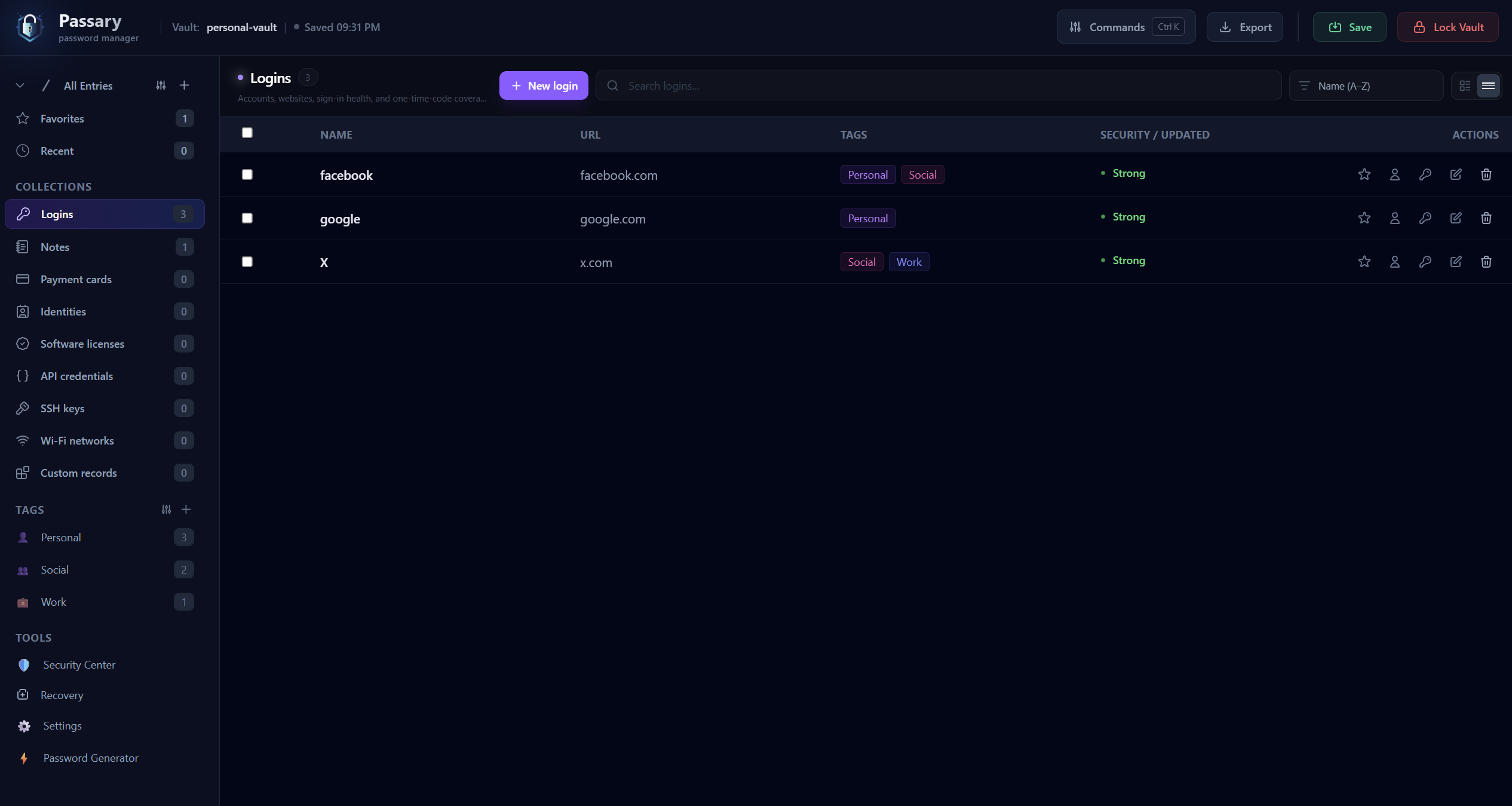
Passary desktop app showing an encrypted vault with saved logins
NO ACCOUNT REQUIREDLOCAL VAULT FILESWORKS OFFLINE

BEFORE YOU INSTALL

This is an unsigned preview build

Windows SmartScreen may show an unknown-publisher warning. Verify the SHA-256 checksum below and install only the file downloaded from this page. Public signed distribution remains a release gate.

Verify your download

PASSARY PASSWORD MANAGER FOR WINDOWS

What makes
Passary different

Passary for Windows starts with an encrypted file you control, not an account or a provider-hosted vault. That choice shapes how you unlock, back up, and use it every day.

A vault file that is actually yours

A .passaryvault is an encrypted file you can save to a drive you choose, move to another device, and back up on separate storage.

It lives independently of your browser, so clearing browser data cannot remove your desktop vault. You decide where to keep the original and its recovery copies.

Device unlock on your terms

Unlock with your master password and, if you set one for the vault, a keyfile. You can also explicitly enroll Windows Hello for device unlock.

Windows Hello uses face, fingerprint, or your device PIN to verify you before releasing a local device capability. It is optional; your master password and keyfile remain the fallback.

Your daily work, in one place

Keep logins, notes, payment cards, and other private records in one desktop workspace. Review security issues, import supported data, and use recovery tools from the same app.

Browser autofill and sync targets are available when you choose to connect them; neither is required to use your local vault.

Useful even without a connection

Open, edit, and save your vault locally while offline. Your records do not depend on a Passary login or a connection to a provider-hosted vault.

Online integrations are optional, so the core vault workflow stays available on your device.

FROM THE WEB APP VAULT TO WINDOWS

Getting started with Passary for Windows

Install on this PC

Download the installer, close any older Passary preview, then run it. The per-user install lives in %LOCALAPPDATA%\Programs\Passary and does not require administrator access.

Create a new vault or import an existing encrypted one. Make a separate recovery copy before this PC becomes its only home.

Bring a vault from the web

Export your encrypted .passaryvault file from the web app, then choose Import Vault in Passary for Windows. Use the same keyfile if your vault requires one.

For an older V2 vault, review the explicit V3 migration prompt and save the migrated copy separately.

Read the getting-started guide

RELEASE TRANSPARENCY

Know exactly
what you're installing

Compare the checksum of your downloaded file with this release record. Updates are manual during preview.

WINDOWS RELEASEv0.1.10
RELEASED
2026-10-11
REQUIRES
Windows 10 version 2004+
ARCHITECTURE
x64
FILE SIZE
62.6 MiB
INSTALLER FILEPassaryWindows-Setup-win-x64.exe
SHA-256 CHECKSUM13f16848cf48518a5c19085e90bbf839efbbcfdac1ab10abbd2b17c8aa80ee20
Verify with PowerShell +

Run this command from the folder containing your downloaded installer and compare its output with the checksum above.

Get-FileHash .\PassaryWindows-Setup-win-x64.exe -Algorithm SHA256

YOUR VAULT IS WAITING

Make your passwords
feel like yours again

Not on Windows? The web app uses the same encrypted vault format. Linux desktop support is in development.