
Why Browser Password Storage Falls Short of Offline Vaults

Browser password storage refers to the built-in feature in modern browsers that saves and autofills your login credentials across websites. It is designed primarily for convenience, making your browsing experience faster by reducing the need to remember or type passwords manually. When you click “Save password,” the browser encrypts and stores your credentials locally and, in most cases, synchronizes them with your cloud account for cross-device access.
While this convenience is appealing, browser password storage operates inside an environment with broader access to system components, extensions, and active web sessions. Because browsers are frequently targeted by attackers, their credential stores face a larger attack surface. This is one of the primary reasons many security-conscious users and professionals compare them to standalone offline vaults, which follow a different design philosophy and offer more isolation from daily browsing risks.
Offline password vaults, by contrast, operate independently of the browser. For a deeper breakdown of how these tools work and how they store credentials locally, see our offline password manager guide. They typically store encrypted data in an isolated local container, requiring a master password or hardware key for access. This isolation significantly limits exposure to browser-based attacks. Understanding these architectural differences is key when evaluating why browser password storage is considered less secure in many threat models.
Before diving deeper, this article explores how browser password storage works, why it has inherent limitations, how offline vaults differ, and what practical steps users can take to choose a secure approach that fits their needs. The goal is to offer clear, practical guidance backed by expert-aligned principles of helpfulness and reliability. To understand the broader principles behind protecting credentials without relying on the cloud, read our full offline password security guide.
How does browser password storage actually work today?
Modern browser password storage works by encrypting your saved credentials and storing them inside a protected container tied to your browser or operating system account. When you choose “Save password,” the browser records the username and password, encrypts them using OS-level cryptographic APIs, and places them into a credential store. Because the browser is already running in an authenticated environment, it can later decrypt this information automatically to fill login fields. This workflow prioritizes convenience, giving users quick access to accounts without manual entry.
The decryption process happens seamlessly during autofill. Browsers compare the domain you’re visiting with the stored credential entries and attempt to match them. Once confirmed, the browser requests the operating system to decrypt the matching password. This occurs without the user entering a master password, because the OS account itself is treated as the primary authentication layer. In practice, this means anyone with access to an unlocked machine may also access stored credentials.
Browser password storage also integrates cloud synchronization. When users are signed into a browser profile (such as Chrome Sync, Firefox Sync, or iCloud Keychain in Safari), saved passwords are uploaded in encrypted form to the provider’s cloud. This enables automatic availability on phones, tablets, and other computers. Sync keys and encryption methods vary by vendor, but the overall design favors frictionless movement of login data across devices.
Additional metadata is often stored alongside passwords to support convenience features. This includes timestamps, password strength indicators, domain patterns, and breach-checking data. Browsers may also maintain a history of previously saved logins for autofill accuracy. The combination of metadata and credential storage allows modern browsers to function as lightweight password managers, though with fewer isolation boundaries than offline vaults.
Encrypted Store
Credentials are stored in a local OS keychain or browser-specific database, decrypted automatically when you visit a matching site.
Cloud Sync
Sync keys manage the flow of encrypted data between your devices, relying on your cloud account for authentication.
Metadata Matching
Browsers track domain patterns and history to smartly suggest the right password for the right page.
Autofill Logic
Rules determine when to pop up credentials, balancing speed with the risk of visual eavesdropping.
Why is browser password storage considered less secure than offline vaults?
Browser password storage is often viewed as less secure than offline vaults because its security model is tightly linked to the operating system login rather than a dedicated master password. When a user unlocks their device, the browser gains implicit permission to decrypt stored credentials. This design prioritizes ease of use, but it reduces the isolation that a password manager typically provides. Offline vaults avoid this issue by using a single master password or hardware key that protects all stored information independently of the device environment.
Another reason browser password storage is considered less secure is its proximity to the browser’s active attack surface. Browsers are frequently exposed to malicious scripts, compromised websites, and vulnerable extensions. If the browser or one of its components is exploited, attackers can sometimes escalate access to the credential store. Offline vaults are isolated from active web sessions and are not constantly interacting with potentially harmful content, which significantly reduces their exposure to browser-based threats.
A third limitation is the way browsers handle synchronization. Browser password storage typically syncs passwords across devices using cloud accounts that stay logged in for convenience. While the data is encrypted, syncing increases the number of environments where credentials are stored and potentially exposed. Offline vaults, on the other hand, usually require explicit setup for syncing—if syncing is enabled at all. Users can choose to keep vaults entirely offline, minimizing the number of systems containing sensitive data.
Browser password storage also lacks many of the granular security controls found in dedicated offline vaults. Most browsers do not offer options such as local-only mode, secure enclave support beyond OS defaults, fine-grained password sharing rules, or hardware token unlock. Offline vaults frequently support advanced encryption, isolated containers, configurable unlock methods, and detailed audit logs. These features are designed to prevent unauthorized access and give users control over who can retrieve the stored secrets.
🔓 Browser Storage
- × Runs inside the active browser process
- × Relies on OS login; no master pass
- × Syncs by default to cloud
- × Vulnerable to malicious extensions
🛡️ Offline Vault
- ✓ Isolated from web content
- ✓ Independent encryption with master key
- ✓ Zero-knowledge architecture
- ✓ Controlled or disabled sync
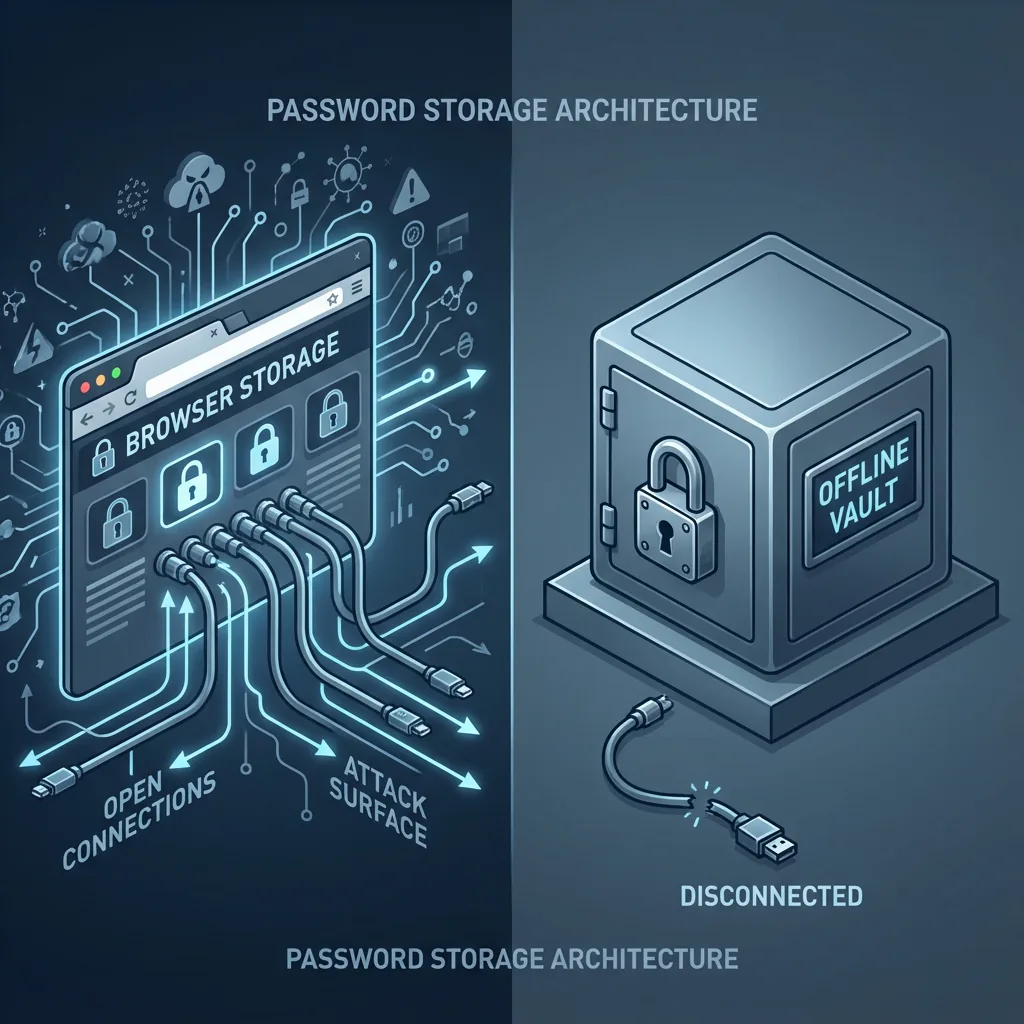
How do offline password vaults differ from browser password storage in their security design?
Offline password vaults differ from browser password storage at the architectural level because they are built around the principle of isolation. Their security design focuses on separating the encrypted vault from the operating system’s general activity, requiring explicit user authentication through a master password or hardware key. This means the vault stays locked unless the user provides the correct credentials, a layer of protection not typically enforced by browsers, which assume that an unlocked device is sufficient authorization.
Another core difference is in encryption management. Offline vaults use dedicated encryption workflows, often based on strong key-stretching functions like Argon2 or PBKDF2, which make brute-force attacks far more difficult. The encryption keys are derived from the master password, not from OS login credentials. Browser password storage, by contrast, relies on platform-level encryption APIs tied to the logged-in user account. While this simplifies day-to-day use, it also means that the browser and OS treat passwords as one more set of user data rather than a separate security domain.
Offline vaults additionally minimize exposure by avoiding integration with web processes. Browsers constantly load external content such as JavaScript, extensions, ads, and iframes. This creates a wide attack surface. A vulnerability in any browser component could expose the credential store. Offline vaults interact with the browser only through controlled channels, usually via plug-ins that require explicit permission. Since the vault’s core data never resides within the browser’s active memory unless intentionally unlocked, the risk of unintended leakage is significantly reduced.
Another factor is control over synchronization. Offline vaults allow users to choose whether the vault should stay entirely local or sync via an end-to-end encrypted process. With browser password storage, syncing is typically enabled by default when a user signs into the browser profile. This increases convenience but also distributes sensitive data across multiple devices and cloud endpoints. Offline vaults usually require setup steps for syncing, making it less likely that passwords are widely replicated without the user’s awareness.
Key Architectural Differences
Authentication Model
Offline vaults use a dedicated master key. Browsers trust the OS session, meaning an unlocked laptop often equals an unlocked password store.
Encryption Source
Vault keys are derived from your secret password using slow hashing. Browser keys are managed by the OS, prioritizing speed over cryptographic hardness.
Process Isolation
Vaults run separately from the web renderer. Browsers execute complex code (JS, wasm) right next to your secrets.
What attack surfaces make browser password storage more vulnerable?
Browser password storage is more vulnerable because it operates inside a highly complex environment that constantly interacts with external content. Modern browsers process scripts, stylesheets, ads, embedded frames, and third-party resources every time a page loads. Any vulnerability within these components increases the likelihood of attackers gaining access to browser internals. Although sandboxing has improved, the browser remains one of the most frequently targeted applications due to its deep integration with online activity.
One of the most significant attack surfaces comes from browser extensions. Extensions often request broad permissions, such as reading and modifying all website data. Malicious or compromised extensions can harvest autofill data, inject scripts into pages, or intercept communication between the browser and its credential store. Because users routinely install extensions without fully evaluating their security implications, extensions remain a persistent risk factor unique to browser password storage.
Another attack surface involves session hijacking and token theft. When a browser is running, it already holds decrypted session cookies and authentication tokens. If malware or a malicious script exploits a browser vulnerability, it can capture these tokens or escalate access to password storage APIs. Offline vaults do not maintain live sessions, so they are less susceptible to this type of attack. Browser password storage, on the other hand, is intertwined with active authentication flows.
A further vulnerability comes from local malware designed to target browser profiles. Many credential-stealing malware families (such as RedLine, Vidar, and Raccoon) are built specifically to extract stored passwords from browser databases. Because the encryption is tied to the OS account, attackers who gain local access—through phishing, malicious installers, or remote access trojans—can often decrypt data without knowing the user’s password. Offline vaults require a separate master key, which prevents this type of automated extraction.
🧩 Extensions
Malicious add-ons can read page content, intercept keystrokes, and steal tokens.
☠️ Scripts
Compromised websites can run JS that attempts to trick the browser or exploit rendering bugs.
🍪 Session Theft
If an attacker steals your session cookie, they access your account without needing the password.
🦠 Info-Stealers
Local malware targets known browser folder paths to extract stored database files.
Does shared device usage increase risks with browser password storage?
Shared device usage significantly increases the risks associated with browser password storage because browsers do not require a dedicated master password to unlock saved credentials. Once a user logs into the operating system or leaves their session unlocked, the browser assumes the environment is trusted. Anyone with physical or remote access to that unlocked session can view, copy, or export stored passwords. This creates a substantial risk on family computers, workplace machines, or any shared environment where multiple people can access the same user profile.
Another factor heightening this risk is the presence of browser profiles that remain signed into cloud accounts. Many users stay logged into Chrome Sync, Firefox Sync, or Safari’s iCloud Keychain. On a shared device, a secondary user could access synced credentials, manage account recovery settings, or even add their own device to the sync chain. Since the browser typically does not require reauthentication for viewing passwords, the barrier to improper access is very low compared to offline vaults.
In environments like schools, offices, or households with multiple users, shared device usage frequently leads to password autofill appearing for the wrong person. Autofill may populate credentials automatically on login forms, making sensitive accounts visible. This is especially problematic if the browser is configured to autofill without requiring user interaction. Offline vaults avoid this issue because they do not automatically unlock or reveal passwords when someone else uses the same device.
Shared devices also amplify risks related to cached browsing data. Password managers built into browsers rely on stored cookies, tokens, and sessions, which remain active across users unless manually cleared. Someone using the device after you could access authenticated sessions directly, even without needing to open the password manager. Offline vaults, on the other hand, do not hold or maintain session data, reducing exposure from session persistence.
All these factors underscore why experts advise against enabling browser password storage on any device that is not strictly personal. Unless the device is locked down with separate OS accounts, strong authentication, and session hygiene, shared usage exposes too many paths for unauthorized access. Users who rely on shared machines are far safer keeping passwords in a dedicated offline vault that requires an independent unlock key.
How does data export and backup work in browser password storage compared to offline vaults?
Data export in browser password storage is designed for convenience rather than strict security. Most browsers allow users to export all saved passwords into a CSV file with just a few clicks. Because these exports are unencrypted, they pose immediate risk: anyone with temporary access to the device can generate a complete list of credentials. The browser may ask for the OS password before exporting, but once the file is created, its protection depends entirely on the user’s handling practices. This stands in contrast to offline vaults, which rarely allow unencrypted exports without explicit warnings or advanced settings.
Browser password storage also takes a simplified approach to backups. Instead of offering dedicated backup tools, browsers rely heavily on their cloud sync systems. When a user signs into a browser account, saved passwords sync automatically, effectively functioning as a backup. While this ensures continuity, it duplicates data across multiple cloud endpoints. Each additional synced device increases the number of potential exposure points. Offline vaults treat backups as deliberate, controlled actions, with users typically exporting encrypted vault files that remain unreadable without the master key.
Another key difference is the level of user control during the backup process. Browsers abstract away most backup details and offer limited configuration for where data is stored or how often it is synced. Offline vaults give users granular control over backup frequency, file location, and encryption settings. This allows users to maintain a more predictable security posture, especially in environments where credentials must be tightly regulated.
Exporting from offline vaults also follows a more structured security workflow. Vaults require authentication before export, and exported files are typically encrypted using strong algorithms. Some vault systems even embed metadata that prevents the export file from being opened without both a master password and a key file. This dual-layer protection ensures that even if a backup file is leaked, it remains unusable. Browser password storage, on the other hand, cannot enforce encrypted exports because browsers are not built around a master password model.
Browser Exports
Usually unencrypted CSVs. High risk of accidental exposure.
Offline Vault Exports
Encrypted JSON/KDBX files. Protected even if the file is leaked.
How does multi-device syncing in browser password storage affect security?
Multi-device syncing in browser password storage greatly increases convenience, but it also expands the number of systems and cloud environments where your credentials reside. When a user logs into a browser account—such as Chrome Sync, Firefox Sync, or iCloud Keychain—passwords are automatically uploaded to the provider’s cloud. This means the password store is no longer contained to the original device. Each additional synchronized device becomes a potential point of compromise, especially if any of them have weak security configurations.
Another impact of multi-device syncing is the dependency on the security of the cloud account itself. Sync services rely on the user’s primary account credentials and recovery methods. If an attacker compromises the cloud account through phishing, SIM swapping, or credential stuffing, they may gain access to synced passwords without ever touching the user’s devices. Offline vaults avoid this threat because they allow users to operate without a cloud connection, making unauthorized remote access far more difficult.
A third concern involves session persistence. Many browsers keep users signed into their sync profiles indefinitely, meaning that synced passwords remain accessible even if the browser has been idle for long periods. On shared or poorly secured devices, a second user could access the synced password list without additional authentication. Offline vaults require a fresh unlock using a master password or hardware token, reducing the chance that someone can open the vault simply because the previous user forgot to log out.
Syncing also multiplies the risk of local malware exposure. If one synced device is infected—perhaps a Windows machine with lower security hardening—malware can extract saved passwords locally. Because syncing keeps all devices in parity, passwords stolen from one device were originally stored on all others. Offline vaults mitigate this because a compromised device cannot access the vault unless the user unlocks it manually, and backups remain encrypted.
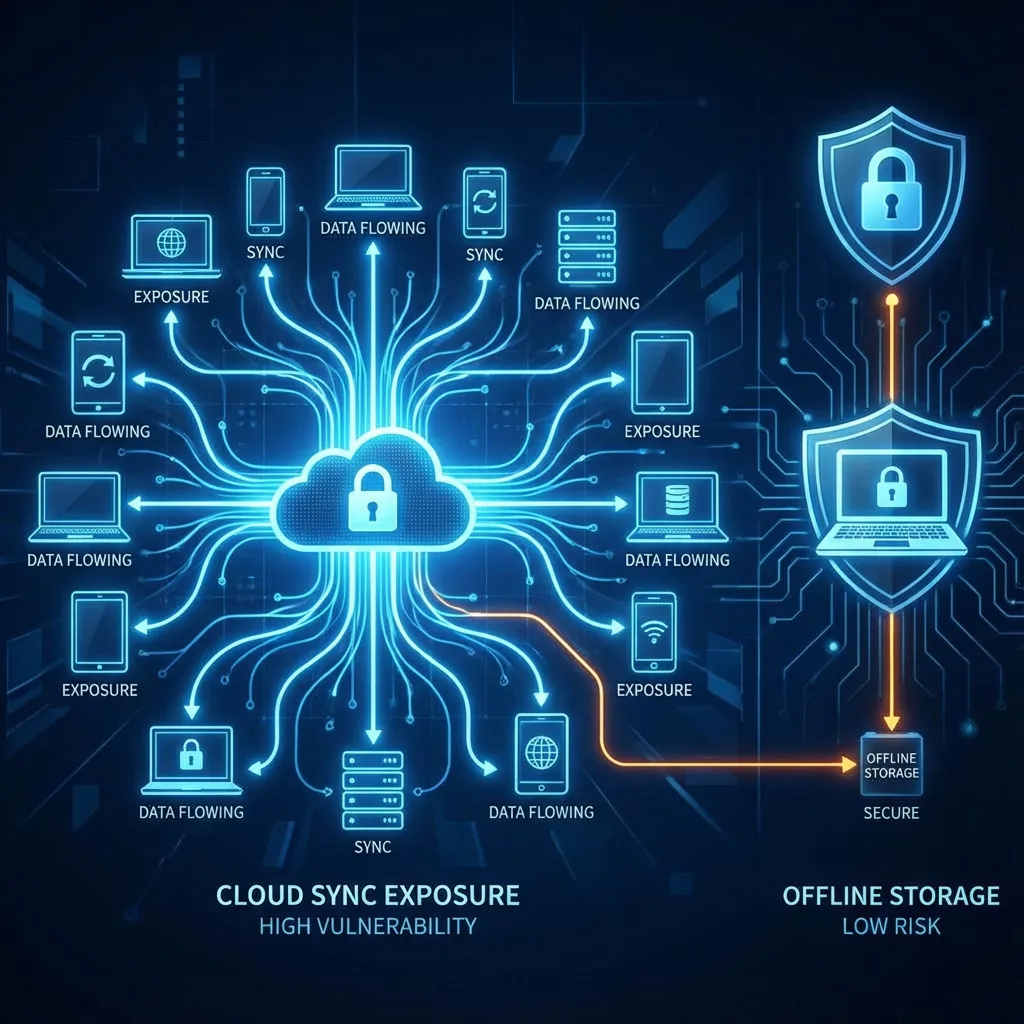
Your passwords exist on every phone, tablet, and laptop you sign into.
If your main Google/Apple/Mozilla account is breached, your entire vault is exposed.
In short, multi-device syncing increases both convenience and exposure, making browser password storage riskier—especially when users sync across devices with mixed security levels.
What user experience trade-offs exist between browser password storage and offline vaults?
Browser password storage offers an experience centered on convenience. It integrates directly into the browsing workflow, automatically prompting users to save credentials and autofilling them with almost no interaction required. This frictionless approach means users rarely need to think about password management. However, the very simplicity that makes browser password storage appealing also reduces user control and security isolation. Users often don’t see where data is stored, how it’s encrypted, or when it’s synced across devices.
Offline password vaults take the opposite approach. They prioritize intentional security steps over automation. Users must unlock the vault to access credentials, choose when to autofill, and manage backup or sync settings manually. This introduces small but meaningful steps during login flows. While it may feel slower than the seamless integration of browser password storage, it offers a consistent sense of control. Users know exactly when and how their vault is accessed, which makes the system more predictable for security-conscious individuals.
A key user experience trade-off involves setup and maintenance. Browser password storage requires almost no configuration; it works as soon as the browser is opened. Offline vaults require initial setup, including creating a master password, installing browser extensions, and customizing security settings. For casual users, this initial friction might be perceived as a barrier. For advanced users, the configurability is seen as an advantage rather than an inconvenience.
Another trade-off arises in cross-device usability. Browsers sync passwords automatically, making logins available on new devices within seconds. Offline vault sync is optional and often requires additional tools or encrypted exports, adding steps to the process. Yet this added complexity grants users greater control: they can choose not to sync at all or limit syncing to trusted devices. Users must weigh whether ease of movement across devices outweighs their desired security posture.
Browser Storage
- ⚡ Setup: Instant
- 🔄 Sync: Automatic
- 🎮 Control: Low
- 👁️ Transparency: Hidden
Offline Vault
- ⚡ Setup: Deliberate
- 🔄 Sync: Manual / Encrypted
- 🎮 Control: Complete
- 👁️ Transparency: Clear
In short, browser password storage excels in simplicity, while offline vaults excel in deliberate security. Users must choose which experience aligns best with their habits, environment, and threat model.
Which real-world threats target browser password storage most often?
Browser password storage is frequently targeted by attackers because it resides within an environment that handles a constant flow of external content and authentication data. One of the most common real-world threats is credential-stealing malware, which is specifically engineered to extract browser-stored passwords. Malware families such as RedLine, Vidar, and Raccoon are optimized to read browser password databases, bypassing protections tied to the OS login. These tools can exfiltrate entire password lists within seconds, making browser-based storage a high-value target.
Another widespread threat involves malicious browser extensions. Extensions can request permissions to view and modify website data, which attackers exploit by publishing disguised or compromised add-ons. Once installed, an extension can capture login forms, intercept autofill events, or inject scripts to steal passwords directly from the browsing session. Because browser password storage interacts directly with autofill workflows, any extension with broad permissions can become a gateway for attackers.
Phishing attacks also exploit browser password storage through autofill manipulation. Some malicious websites mimic legitimate login pages, prompting the browser to autofill credentials automatically. Attackers then capture these details without needing to bypass the browser’s internal security layers. Offline vaults mitigate this issue because they typically require explicit user interaction to autofill, and many only autofill when the URL precisely matches stored entries.
Session token theft is another major real-world threat. Even if attackers cannot access stored passwords directly, they may steal session cookies or authentication tokens from the browser. These tokens often provide full access to accounts without requiring passwords at all. Once a session is compromised, attackers can often reset passwords, access synced data, or compromise the associated cloud account, which in turn exposes browser-stored passwords across all synced devices.
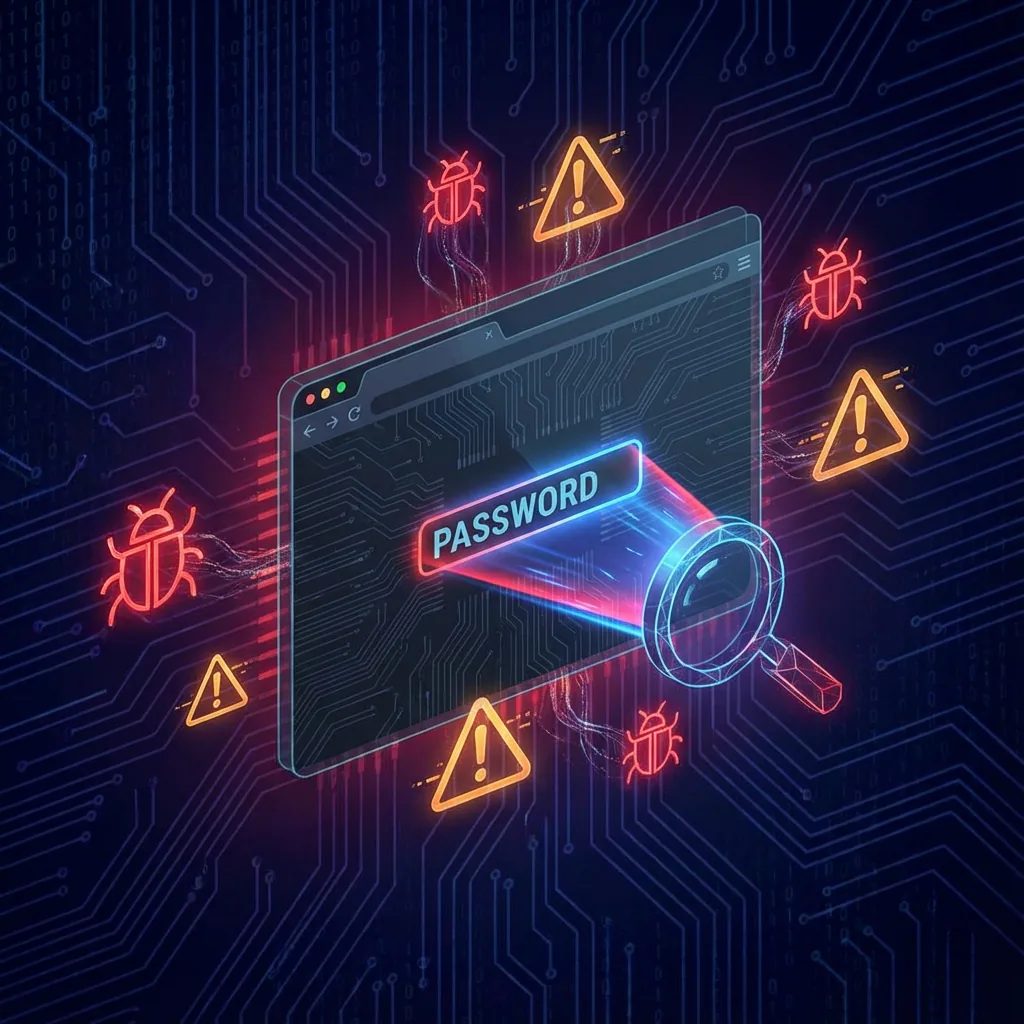
Malware specifically targets browser database files.
Broad permissions allow extensions to read typed inputs.
Autofill can be tricked by spoofed domains.
Stolen tokens bypass passwords entirely.
Real-world incidents consistently show that attackers prefer targeting browser password storage because of its convenience-driven design and broad attack surface. These threats highlight the importance of using a more isolated solution—such as an offline password vault—when security is a high priority.
How should you choose between browser password storage and offline vaults for your security needs?
Choosing between browser password storage and offline password vaults depends on how you balance convenience, control, and the security requirements of your daily workflow. If you primarily use one personal device, prefer minimal setup, and value frictionless autofill, browser password storage may appear sufficient. However, the security model of browser-based storage is tied to the operating system login, meaning anyone who accesses your unlocked device can view or export your passwords. This makes it less suitable for users facing higher security demands.
Offline vaults provide more isolation and stronger control over authentication. They require a master password or hardware key, ensuring that passwords remain protected even if the device is unlocked. This makes them ideal for users handling sensitive information—security professionals, developers, system administrators, or anyone with high-value online accounts. Even casual users benefit from the structured security of offline vaults, especially if they share devices or frequently work across varying environments.
Another factor to consider is your approach to syncing. Browser password storage syncs automatically, spreading your credentials across all connected devices. This is convenient but broadens your attack surface. Offline vaults offer optional, end-to-end encrypted sync or even a fully offline approach. If minimizing exposure is a priority, the ability to control exactly where your vault is stored and how it’s backed up becomes an important advantage.
Threat models also play a major role. Browser password storage is a target for malware, malicious extensions, autofill-based phishing, and session hijacking. Offline vaults dramatically limit these risks by isolating credentials from browser activity. If you’re relying on stored passwords for banking, email, cloud administration, or financial tools, a dedicated vault reduces your exposure to these common threats.
Casual User
Values convenience above all. Browser storage is "good enough" but riskier.
Medium RiskPrivacy Focused
Wants ownership and isolation. Offline vault is the clear choice.
RecommendedHigh Risk Profile
Devs, admins, crypto users. Browser storage is reckless here.
Vault RequiredIn general, browser password storage is suitable for low-risk users who prioritize speed, while offline vaults better serve those who prioritize security, privacy, and control. Evaluating your habits, devices, and threat exposure helps determine which option fits your daily reality more effectively.
Conclusion
Browser password storage offers a level of convenience that fits naturally into everyday browsing, but this ease comes with notable security trade-offs. Because it integrates directly into the browser environment, it inherits all the risks associated with web content, extensions, and session activity. The design relies heavily on the operating system login rather than a dedicated master key, making it less resilient against local compromise or unauthorized access on shared devices. Offline password vaults, in contrast, intentionally separate sensitive data from the browser and require explicit authorization before revealing credentials. Their structured encryption, isolation, and controlled syncing make them a stronger choice for users handling sensitive accounts or navigating higher-risk digital environments.
Ultimately, choosing the right storage method comes down to understanding your personal security needs. If your primary concern is speed and simplicity, browser password storage may feel sufficient. However, if you value stronger protection, granular control, and resilience against real-world attacks, offline vaults provide a more robust foundation. As online threats continue to grow more sophisticated, the isolation and intentional design of offline vaults offer meaningful advantages for anyone looking to protect their digital identity with greater confidence.