
What Zero Knowledge Architecture Means for Password Managers
TL;DR
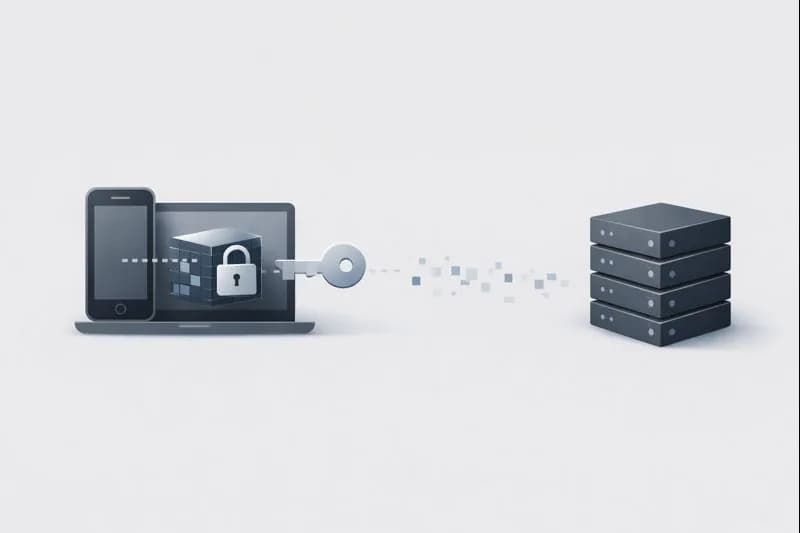
- What it is: A security model where encryption happens on your device, ensuring the provider never sees your passwords.
- Why it matters: It effectively removes the provider as a point of failure; even if their servers are breached, your data remains locked.
- The trade-off: There is no "forgot password" reset. If you lose your master password, you lose your data.
- What it doesn't solve: It cannot protect you if your device itself is infected with malware or if you use a weak master password.
- The bottom line: It shifts trust from a company's policies to verifiable mathematics and cryptography.
Zero knowledge architecture is a security design approach used by modern password managers to ensure that only the user can access their stored data. In simple terms, it means the service provider has zero knowledge of your passwords, notes, or other sensitive vault contents. Even though your data may be stored or synced through the provider’s servers, it remains unreadable to them at all times.
This architecture is built around a clear principle: encryption happens on your device, before any data is sent anywhere else. Your passwords are locked locally using cryptographic keys derived from your master password. Because those keys never leave your device, the provider cannot decrypt your data, reset your vault, or hand over readable information to attackers or third parties.
For users, zero knowledge architecture changes the trust model. Instead of trusting a company’s internal security practices or employee access controls, you rely on math and cryptography. Even if the provider’s servers are breached, attackers only obtain encrypted data with no practical way to unlock it without your master password.
This model is especially important for password managers because they store the keys to your entire digital life: email accounts, banking logins, work tools, and personal data. A single weak point could expose everything. Zero knowledge architecture reduces that risk by removing the provider itself from the list of entities that can access your secrets. Local-first password managers like Passary build on this foundation to ensure that the keys to your banking, email, and work accounts remain exclusively in your control.
However, this approach also comes with responsibility. Because the provider does not know your master password, they cannot recover it for you. Understanding how zero knowledge architecture works helps users make informed decisions about setup, backups, and recovery options.
What is zero knowledge architecture in password managers?
Zero knowledge architecture in password managers is a security model where only the user can decrypt and read their stored data. The service provider never has access to your passwords, secure notes, or vault contents in readable form. This is not a policy choice or a promise in the terms of service—it is a technical design enforced through cryptography.
At the core of zero knowledge architecture is client-side encryption. Before any password or note leaves your device, it is encrypted locally using keys derived from your master password. What gets sent to the provider’s servers is already locked. The servers store and sync encrypted data, but they never see the keys required to unlock it.
This means the password manager company cannot view your data, cannot decrypt it for internal purposes, and cannot provide readable information even if legally compelled or compromised. From a security standpoint, the provider is treated as an untrusted storage and sync layer rather than a trusted custodian of secrets.
Zero knowledge architecture also changes how authentication works. The master password is never transmitted or stored by the service. Instead, it is used locally to generate encryption keys. Authentication may prove that you know the correct password, but it does not reveal the password itself or the keys derived from it.
| Aspect | Zero knowledge architecture | Traditional server-side model |
|---|---|---|
| Where encryption happens | On the user’s device | On the provider’s servers |
| Provider access to data | None (encrypted only) | Possible in plaintext |
| Master password storage | Never stored or sent | Often stored or derivable |
| Breach impact | Encrypted data only | Potential data exposure |
| Password recovery | Not possible by provider | Often possible |
In practice, zero knowledge architecture is considered a baseline requirement for modern password managers. Without it, users must trust that the provider handles, protects, and restricts access to plaintext credentials correctly. With it, trust is shifted away from people and processes and placed firmly in cryptographic design.
How does zero knowledge architecture actually work behind the scenes?
Zero knowledge architecture works by ensuring that encryption and decryption only happen on the user’s device. When you create or unlock your vault, your master password is used locally to generate cryptographic keys. These keys are never sent to the password manager’s servers and are never stored in plaintext anywhere.
The first step happens the moment you enter your master password. Instead of using it directly, the password manager feeds it into a key derivation function (KDF), such as Argon2id or PBKDF2. This process intentionally takes time and computing effort, making brute-force attacks extremely difficult. The output of this process is one or more encryption keys that are strong enough to protect your entire vault.
Once the keys are created, all sensitive data—passwords, notes, card details, and metadata—is encrypted locally. Only after encryption does the app sync data to the server. From the server’s perspective, it is simply storing and syncing encrypted files. It has no technical ability to tell what the data contains or how to unlock it.
Authentication is handled separately from encryption. When you log in, the server may verify that you entered the correct credentials using cryptographic proofs, but this verification does not reveal your master password or encryption keys. This separation is critical: proving you are authorized does not give the server the power to read your data.
| Step | What happens | Where it happens |
|---|---|---|
| Master password entered | Used to derive keys via KDF | User device |
| Encryption | Vault data is encrypted | User device |
| Sync | Encrypted data uploaded | Provider server |
| Storage | Encrypted vault stored | Provider server |
| Decryption | Data unlocked for use | User device |
Because of this design, even a full server breach exposes only encrypted vaults without usable keys. Attackers would still need the correct master password and would have to defeat the KDF protections to access any data. This is why zero knowledge architecture is considered resilient by design rather than dependent on operational security alone.
Why zero knowledge architecture matters for password manager security
Zero knowledge architecture matters because password managers are a single point of failure. If compromised, they can expose access to email, banking, work systems, cloud services, and personal data all at once. This makes their security model far more critical than that of most other applications.
In traditional architectures, providers may encrypt data on their servers, but they still control the encryption process or the keys. That creates an implicit trust requirement: users must trust that employees, systems, backups, and internal processes never expose plaintext data. Zero knowledge architecture removes this trust dependency by design.
This approach significantly reduces the impact of data breaches. When a password manager using zero knowledge architecture is breached, attackers obtain encrypted vaults without the keys needed to unlock them. The success of an attack then depends on breaking strong cryptography rather than exploiting operational weaknesses or human error.
Another key benefit is protection from insider risk. Employees, contractors, and support staff cannot access user vaults, even intentionally. This limits damage from misconfigurations, compromised accounts, or malicious insiders. Security does not rely on internal access controls alone but on enforced cryptographic separation.
| Risk scenario | Without zero knowledge | With zero knowledge |
|---|---|---|
| Server breach | Data may be exposed | Encrypted data only |
| Insider access | Possible | Technically impossible |
| Legal data requests | Provider may decrypt | Provider cannot decrypt |
| Misconfiguration | High impact | Limited impact |
| User trust requirement | High | Minimized |
Ultimately, zero knowledge architecture aligns the password manager’s design with its purpose: safeguarding secrets that even the provider should never see. It transforms security from a promise into a property of the system itself.
What data is encrypted in a zero knowledge password manager?
In a zero knowledge password manager, all sensitive vault data is encrypted before it leaves your device. This ensures that the provider only ever stores unreadable ciphertext and has no insight into what the vault contains. The scope of encryption is broader than many users realize and goes far beyond just account passwords.
The most obvious encrypted data is login credentials. Website usernames and passwords are encrypted together as vault items, preventing the provider from knowing which services you use or what your credentials are. This encryption applies equally whether the data is stored locally or synced across devices.
Beyond passwords, modern password managers encrypt a wide range of additional data. Secure notes, credit card details, identities, addresses, software licenses, and API keys are all included in the encrypted vault. Any data meant to remain private is treated the same way and protected by the same encryption keys.
Many zero knowledge designs also encrypt metadata. This can include item names, URLs, folder structures, and timestamps. Encrypting metadata prevents third parties from inferring sensitive details, such as which banks you use or which services you log into most often. Some implementations may leave limited metadata unencrypted—such as sync timestamps, record IDs, or encrypted blob sizes—for performance or sync reasons, but the core secrets remain protected.
| Data type | Encrypted | Notes |
|---|---|---|
| Passwords | Yes | Always encrypted client-side |
| Usernames | Yes | Stored as part of vault items |
| Secure notes | Yes | Fully encrypted |
| Credit cards | Yes | Includes numbers and expiry |
| Identities | Yes | Names, addresses, phone numbers |
| Vault structure | Often | Depends on implementation |
| Usage metadata | Sometimes | Timestamps & blob sizes may be visible |
By encrypting nearly everything of value, zero knowledge password managers limit what can be learned even if servers are accessed or monitored. The provider sees encrypted blobs and sync activity, but not the meaning behind the data.
How master passwords fit into zero knowledge architecture
In zero knowledge architecture, the master password is the foundation of all security. It is the single secret that allows access to your encrypted vault, and it is deliberately designed so that only you ever know it. The password manager provider never stores it, never receives it, and cannot recover it.
When you enter your master password, it is not used directly as an encryption key. Instead, it is processed locally through a key derivation function (KDF). This step transforms the password into strong cryptographic keys while intentionally slowing down guessing attempts. The result is a set of keys that can safely encrypt and decrypt your vault data.
Because the master password never leaves your device, the provider cannot decrypt your data even if they wanted to. The server may store a verification value that confirms whether the correct password was entered, but this value cannot be reversed to reveal the password or the encryption keys.
| Component | Role in zero knowledge architecture |
|---|---|
| Master password | Secret known only to the user |
| Key derivation function | Converts password into secure keys |
| Encryption keys | Lock and unlock the vault |
| Server | Stores encrypted data only |
| Provider access | None to passwords or keys |
This design shifts responsibility to the user. A weak master password reduces the effectiveness of the entire system, while a strong one significantly increases resistance to offline attacks. For this reason, zero knowledge password managers often enforce minimum password strength or recommend long passphrases.
Understanding how the master password fits into zero knowledge architecture helps explain both its strengths and its risks. It enables strong privacy and breach resistance, but it also means that losing the master password usually means losing access to the vault permanently.
What happens if you forget your master password in a zero knowledge setup?
In a zero knowledge setup, forgetting your master password usually means permanent loss of access to your vault. This is not a flaw or oversight; it is a direct and intentional consequence of the architecture. Because the provider never knows your master password or encryption keys, they have no technical way to reset or recover them.
When a master password is lost, the encrypted vault still exists on the provider’s servers, but it becomes cryptographically inaccessible. Without the correct password, the key derivation process cannot produce the keys required to decrypt the data. From a practical standpoint, the vault might as well be random data.
Some password managers offer limited recovery mechanisms, such as recovery keys, emergency access contacts, or locally stored backups. These options do not break zero knowledge architecture because they still avoid giving the provider access to your data. Instead, they shift recovery responsibility back to the user or trusted parties chosen in advance.
| Scenario | Outcome in zero knowledge architecture |
|---|---|
| Forgot master password | Vault cannot be unlocked |
| Provider support request | No recovery possible |
| Server breach | No impact on recovery |
| Recovery key available | Vault may be restored |
| No recovery setup | Data is permanently lost |
This strict approach is what makes zero knowledge architecture trustworthy. If a provider could reset your master password, it would mean they also have a way to decrypt your data. By refusing recovery at the provider level, the system guarantees that no backdoor exists.
Choosing a memorable but strong master password, storing recovery keys securely, and understanding recovery options upfront are essential steps when using a zero knowledge password manager.
Is zero knowledge architecture enough to fully protect your passwords?
Zero knowledge architecture provides a strong foundation, but on its own it is not a complete security solution. It protects against provider access and server-side breaches, but does not eliminate all risks. Security still depends on how the system is used and what happens on the user’s devices.
Zero Knowledge ≠ Magic
While zero knowledge prevents server-side access, it cannot protect you against:
- Endpoint Compromise: Malware or keyloggers on your device can steal your master password as you type it.
- Human Error: Phishing attacks can trick you into revealing your credentials to a fake site.
- Weak Passwords: A weak master password can still be brute-forced if an attacker obtains your encrypted vault.
One of the biggest remaining risk factors is the endpoint, meaning your phone or computer. If malware, a keylogger, or a compromised browser gains access to your device while the vault is unlocked, zero knowledge architecture cannot help. At that point, the attacker is operating with the same access level as the user.
Another important factor is master password strength. Zero knowledge systems are designed to resist attacks, but weak or reused master passwords still reduce protection. If an attacker obtains an encrypted vault and the master password is guessable, the security advantage of zero knowledge architecture is significantly weakened.
Network-level attacks are also outside its scope. Phishing attacks that trick users into revealing credentials, fake password manager apps, or malicious browser extensions can bypass encryption entirely by targeting human behavior rather than cryptography.
| Threat | Protected by zero knowledge architecture |
|---|---|
| Server breach | Yes |
| Insider access | Yes |
| Provider data access | Yes |
| Weak master password | No |
| Malware on device | No |
| Phishing attacks | No |
| Compromised browser extensions | No |
This is why zero knowledge architecture should be seen as one layer in a broader security model. Strong device security, operating system updates, safe browsing habits, and careful extension management are all still necessary.
Zero knowledge architecture vs server-side encryption: what’s the difference?
Zero knowledge architecture and traditional server-side encryption are often confused because both use encryption. The key difference is who controls the encryption keys. In zero knowledge architecture, the user controls the keys. In server-side encryption, the provider does.
With server-side encryption, your data may travel to the provider’s servers before it is encrypted, or it may be encrypted using keys that the provider manages. This means the provider has the technical ability to decrypt user data when needed, whether for account recovery, internal operations, or legal requests.
Zero knowledge architecture removes this capability entirely. Encryption happens on your device, and the keys are derived from your master password, which the provider never sees. The server stores only encrypted data and has no way to unlock it, even with full access to its own infrastructure.
This difference has major security and privacy implications. Server-side encryption reduces exposure compared to plaintext storage, but it still requires users to trust the provider’s internal security, employee access controls, and policies. Zero knowledge architecture replaces that trust with enforced cryptographic limits.
| Aspect | Zero knowledge architecture | Server-side encryption |
|---|---|---|
| Where encryption happens | User device | Provider servers |
| Who controls keys | User only | Provider |
| Provider data access | Impossible | Possible |
| Breach impact | Encrypted data only | Potential plaintext exposure |
| Password recovery | User-managed only | Provider-assisted |
| Trust requirement | Minimal | High |
From a user perspective, zero knowledge architecture offers stronger privacy guarantees but requires more responsibility. Server-side encryption is easier to support and recover from, but it introduces additional risk by keeping decryption power centralized.
For password managers, this distinction is critical. Because they store credentials that unlock many other services, even a small increase in provider access can dramatically increase the impact of a breach.
What are the limitations of zero knowledge architecture in real-world use?
Zero knowledge architecture provides strong security guarantees, but it is not without trade-offs. These limitations are not design mistakes; they are direct consequences of removing provider access to user data. Understanding them helps users choose and use password managers more effectively.
The most visible limitation is account recovery. Because the provider cannot access encryption keys, they cannot help recover a lost master password. This improves security but increases user responsibility. Users must plan ahead with recovery keys, backups, or emergency access, or accept the risk of permanent data loss.
Another limitation is feature complexity. Certain features—such as shared vaults, cross-device sync, or web-based access—are harder to implement securely in a zero knowledge system. These features often require additional cryptographic steps, which can introduce usability friction or performance overhead.
Zero knowledge architecture also depends heavily on user behavior. A weak master password, poor device security, or unsafe browser extensions can undermine even the strongest cryptography. The architecture protects data at rest and in transit, but it cannot protect against mistakes made on unlocked or compromised devices.
Support and diagnostics are also more limited. Since providers cannot see vault contents, troubleshooting sync issues, corrupted entries, or user mistakes is harder. Support teams must rely on logs, metadata, and user descriptions rather than inspecting actual data.
| Limitation | Why it exists | Impact |
|---|---|---|
| No password recovery | Provider lacks keys | Risk of permanent vault loss |
| Increased user responsibility | Security is user-controlled | Requires planning and care |
| Feature complexity | Client-side encryption constraints | Slower or limited features |
| Endpoint dependency | Data decrypted locally | Device security becomes critical |
| Limited support visibility | No access to user data | Harder troubleshooting |
Despite these limitations, zero knowledge architecture remains the preferred model for password managers because the trade-offs are intentional and transparent. Users gain strong privacy and breach resistance in exchange for greater ownership of their security decisions.
How to check if a password manager truly uses zero knowledge architecture
Not all password managers that claim strong encryption actually follow zero knowledge architecture. Some use the term loosely, while others rely on partial implementations. Verifying whether a password manager truly uses zero knowledge architecture requires looking beyond marketing claims and examining technical details.
The first thing to check is where encryption happens. A true zero knowledge design clearly states that encryption and decryption occur on the user’s device before data is synced. This should be documented in technical whitepapers, security documentation, or architecture overviews. If encryption happens on the server or if keys are managed by the provider, it is not zero knowledge.
Next, review how the master password and encryption keys are handled. The provider should explicitly state that the master password is never transmitted, stored, or recoverable. Look for details about key derivation functions, local key generation, and separation between authentication and encryption. Vague descriptions are a red flag.
Independent validation is another strong indicator. Reputable zero knowledge password managers often publish third-party security audits or allow public review of their cryptographic design. Open-source clients or published cryptographic specifications make it easier for experts to verify that the architecture works as claimed.
You should also examine recovery features carefully. True zero knowledge systems do not offer provider-controlled password resets. If customer support can reset your master password and restore your vault without a recovery key you already control, the provider must have decryption capabilities.
| Check | What to look for | Why it matters |
|---|---|---|
| Encryption location | Client-side only | Prevents provider access |
| Master password handling | Never stored or sent | Ensures zero knowledge |
| Key derivation details | Documented KDF usage | Resists brute-force attacks |
| Recovery model | User-controlled only | No hidden backdoors |
| Security audits | Independent verification | Confirms claims |
| Transparency | Clear technical docs | Reduces trust assumptions |
In short, verifying zero knowledge architecture means confirming that the provider has no technical path to your data, even in edge cases. If any feature depends on provider-held keys or silent recovery mechanisms, the architecture does not meet the zero knowledge standard.
Conclusion
Zero knowledge architecture is one of the most important security principles behind modern password managers. By ensuring that encryption happens on the user’s device and that encryption keys are never shared with the provider, it removes an entire class of risks related to server breaches, insider access, and misplaced trust. The provider becomes a storage and sync layer, not a gatekeeper to your data.
This design shifts control where it belongs: with the user. Your passwords, notes, and sensitive information are protected by cryptography rather than promises. Even if a provider’s infrastructure is compromised, the encrypted data remains unreadable without your master password. For a tool that stores access to nearly every online account you own, this is a critical guarantee.
At the same time, zero knowledge architecture demands responsibility. There is no safety net in the form of provider-managed recovery. Strong master passwords, secure devices, and proper recovery planning are essential to avoid permanent data loss. These trade-offs are intentional and reflect a clear prioritization of privacy and security over convenience.
For anyone evaluating a password manager, understanding zero knowledge architecture is not optional. It defines how much you need to trust the provider and how resilient your data will be under real-world attack scenarios. Choosing a password manager that truly follows this model is a foundational step toward long-term digital security.